
8 English diary and writing apps: corrections, consistency and free limits
Published
For quick diary-edit suggestions, consider LangJournal; for an instructor’s explanation, consider IDIY; for a consistent place to write, consider Day One. Write & Improve supplies writing tasks, Grammarly helps review drafts, and LangCorrect or HelloTalk offer human exchange. After checking the meaning of an edited sentence, choose just one to listen to and say aloud.
This comparison is for beginners and intermediate English learners writing short entries. It includes native apps and browser services, without a ranking. Our judgments about third-party products are based on official descriptions: we did not install them, create accounts, purchase plans or submit writing, and we have not measured correction accuracy, response times or learning outcomes. Availability and interface languages vary by market; IDIY is particularly a Japanese-reader option, not a promise of support in your language.
If you are writing for the exam, our Eiken Grade 2 Writing guide explains what to check in a summary or opinion essay before choosing a correction tool.
Compare correction type, writing support and free limits
| Tool | Provider | Correction | Prompts / consistency support | Free versus paid | Latest verified update | Checked |
|---|---|---|---|---|---|---|
| LangJournal | LangJournal (independent developer) | AI edits with explanations | Starter example, learning reminders; structured topic library unconfirmed | Standard diary edits unlimited; advanced AI once/week; AI questions three/day. Ad removal paid | iOS 7.11.18 / 2026-10-15 | 2026-10-15 |
| Grammarly | Superhuman Platform Inc. | AI / automated writing suggestions | Diary-specific topics or reminders unconfirmed | Basic grammar/spelling free; 100 generative prompts/month. Full rewrites in Pro | macOS 9.101.0 / 2026-10-08 | 2026-10-15 |
| Write & Improve | Cambridge University Press & Assessment | Automated feedback | Level-based and self-created tasks | Free tasks and feedback; Test Zone products separate | Web / software release date not established | 2026-10-15 |
| IDIY | ROUTINGSYSTEMS. INC | Human instructor option; separate AI plans | Daily tasks and completion notifications | 100 introductory points, up to two trial corrections; ongoing human feedback paid | iOS 4.34.2 / 2026-09-30 | 2026-10-15 |
| LangCorrect | LangCorrect | Community members | Level-based/daily prompts and streaks | Core reciprocal corrections free; Premium separate | Web / 2026-10-11 | 2026-10-15 |
| HelloTalk | HelloTalk | Language partners | Moments and exchanges; diary templates unconfirmed | Basic exchange free; VIP and other purchases; not all tools unlimited | iOS 6.4.20 / 2026-09-23 | 2026-10-15 |
| Day One | Bloom Built Inc. | Not selected as an English correction tool | Daily prompts, templates, streaks | Basic: unlimited text entries/journals. Multi-device sync and audio recording in Silver | iOS 2026.21 / 2026-10-12 | 2026-10-15 |
| SpeakGain | SpeakGain(自社) | No writing correction; optional speaking step | Your chosen sentences; not a diary topic course | Initial two-week trial; ongoing subscription, not permanent free journaling | iOS 2.1.0 / 2026-10-09 | 2026-10-15 |
Checked 15 October 2026. App dates are the UTC release dates in official Apple metadata for the named platform; LangCorrect’s date comes from its changelog. They do not establish every platform’s current version. Write & Improve does not publish a software release date in the inspected pages; that is uncertainty, not evidence of abandonment. Free installation, recurring free use and introductory trials are different. Confirm local terms before subscribing.
Choose the task that is stopping you
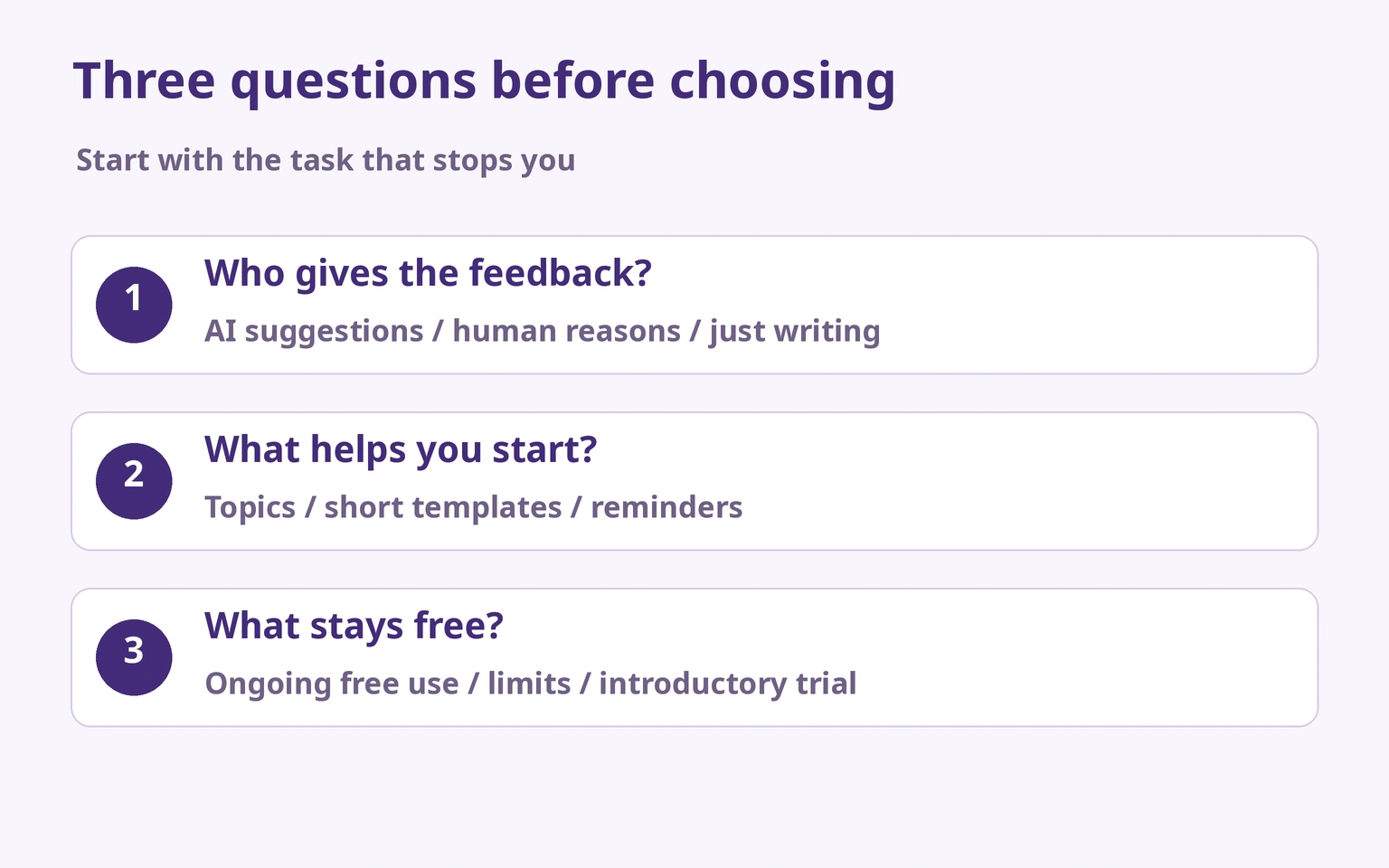
If you cannot start, choose a topic or a small template before comparing correction engines. If you can write but cannot explain an edit, prioritize access to reasons. If you already have checked sentences but cannot say them, add speaking rather than more writing. When writing from another language, explicitly check who did what and when: English may need a subject or tense marker that your first draft leaves implicit. These are editorial starting points, not claims about every speaker of a language.
For a writing structure, see how to keep an English diary. For supplied meaning-to-English drills rather than free diary correction, see instant English composition apps.
LangJournal — short diaries with edit explanations
Suitable for: Learners who want suggestions shortly after writing a few sentences.
Official facts: The provider describes AI diary corrections, explanations and follow-up questions on iOS, Android and Web. Standard corrections remain free; later announcements reduce free AI questions to three/day.
Editorial judgment based on official information: A relevant diary-and-feedback combination; correction reliability has not been tested. Free correction does not make every chat or analysis feature free.
Suggested use: Write first, inspect one change and keep a brief reason.
Caution: Recheck AI explanations. Remove personal details before submission; the privacy link below is the provider’s policy.
Official source 1 · Official source 2 · Official source 3 · Official source 4 · Privacy policy
Grammarly — reviewing a draft you already wrote
Suitable for: Learners who can choose their topic but want grammar and spelling suggestions.
Official facts: Official support describes automated grammar, spelling, usage and style suggestions across browser/desktop products. Free and Pro differ; 100 generative prompts are not a 100-sentence correction allowance.
Editorial judgment based on official information: Consider it as a review layer, not a diary-topic curriculum.
Suggested use: Finish your own draft, then inspect one category of edits.
Caution: A style suggestion is not necessarily a required grammar fix. Check content-processing and AI-training controls in the current Superhuman policy.
Official source 1 · Official source 2 · Official source 3 · Privacy policy
Write & Improve — finding a manageable writing task
Suitable for: Learners who get stuck deciding what to write and can use a browser.
Official facts: Cambridge offers level-based tasks, own tasks, automatic feedback and a CEFR-linked result. The Free tool can be used without registration; a profile enables saving work.
Editorial judgment based on official information: Useful for choosing a task; do not expect every sentence to be rewritten with an explanation in your first language.
Suggested use: Choose a beginner task and revise one flagged point rather than chasing the level display.
Caution: Software release date unconfirmed. The footer privacy link opens inside the workbook app; we verified its location, not the full policy contents.
Official source 1 · Official source 2 · Privacy policy
IDIY — asking an instructor why
Suitable for: Readers who can use Japanese guidance and budget for continuing feedback.
Official facts: IDIY accepts diary text and Japanese intended meaning. Its explained and basic human-correction methods differ; AI plans are separate. Web/iOS/Android and daily tasks are advertised.
Editorial judgment based on official information: Choose an explanation-bearing method if understanding the change is the goal.
Suggested use: Send a short entry with its intended situation and one question.
Caution: Trial points are not ongoing free human correction. Check word limits, instructor and question conditions; no turnaround or quality comparison was performed.
Official source 1 · Official source 2 · Official source 3 · Official source 4 · Privacy policy
LangCorrect — reciprocal public writing
Suitable for: Learners willing to help others with their own native language.
Official facts: The Web community describes sentence-by-sentence human feedback, prompts and streaks. Core exchange is free, with separate Premium features.
Editorial judgment based on official information: Human reactions may help sustain participation, but this is not a paid instructor service with an agreed deadline.
Suggested use: Share a short non-sensitive entry, read the reasons and reciprocate where you can.
Caution: No guarantee every post receives a correction or that every native speaker is a trained teacher. Check public visibility and privacy.
Official source 1 · Official source 2 · Official source 3 · Privacy policy
HelloTalk — turning a short post into conversation
Suitable for: Learners who want replies and an exchange, not guaranteed editing.
Official facts: Official guidance describes free partner exchange and correction controls in chats/Moments; iOS/Android are offered, with optional purchases.
Editorial judgment based on official information: A candidate when interaction is the motivation. The human correction tool is not the same as unlimited AI proofreading.
Suggested use: Post one safe topic, explain what you mean and set a time limit for reading replies.
Caution: Check the current limits for translation and VIP features. Do not publish identifiable family or workplace information.
Official source 1 · Official source 2 · Official source 3 · Privacy policy
Day One — keeping a stable place to write
Suitable for: Learners who want the writing habit before an editing workflow.
Official facts: Basic includes unlimited text entries/journals, prompts and templates. Silver adds features including multi-device sync and audio recording. iOS/Android/Mac/Web have platform differences.
Editorial judgment based on official information: A diary home, not our choice for English grammar correction. Gold’s reflection AI is not presented as proofreading.
Suggested use: Use a repeated event/feeling template and take only one anonymized sentence elsewhere for checking.
Caution: The diary’s privacy arrangements do not carry over when you paste text into a separate service.
Official source 1 · Official source 2 · Official source 3 · Privacy policy
SpeakGain — speaking a sentence you have checked
Suitable for: Learners who have a reusable sentence and want to add speaking practice.
Official facts: Our own product describes practice with chosen phrases. Japanese public pricing is ¥980/month or ¥9,800/year including tax, with an initial two-week trial; iOS/Android are offered.
Editorial judgment based on official information: An additional speaking option after checking writing elsewhere, not a correction, writing-scoring, grammar-checking or pronunciation-checking recommendation.
Suggested use: Choose one short, verified sentence rather than importing the entire diary.
Caution: Saving a sentence does not certify its correctness. A permanent free diary requirement points toward other tools.
Official source 1 · Official source 2 · Official source 3 · Privacy policy
Check meaning, changes and reasons before accepting AI edits
AI can miss an error, introduce an awkward change or rewrite your intended meaning. Treat its output as a proposal. First note your original intention; then compare changes to tense, negatives, timing, frequency and tone. Ask whether a change is necessary or merely another style. Check uncertain grammar in a learner dictionary, course or with an instructor, then reuse one understood change in a different sentence. Repeating a question to the same AI is not independent verification.
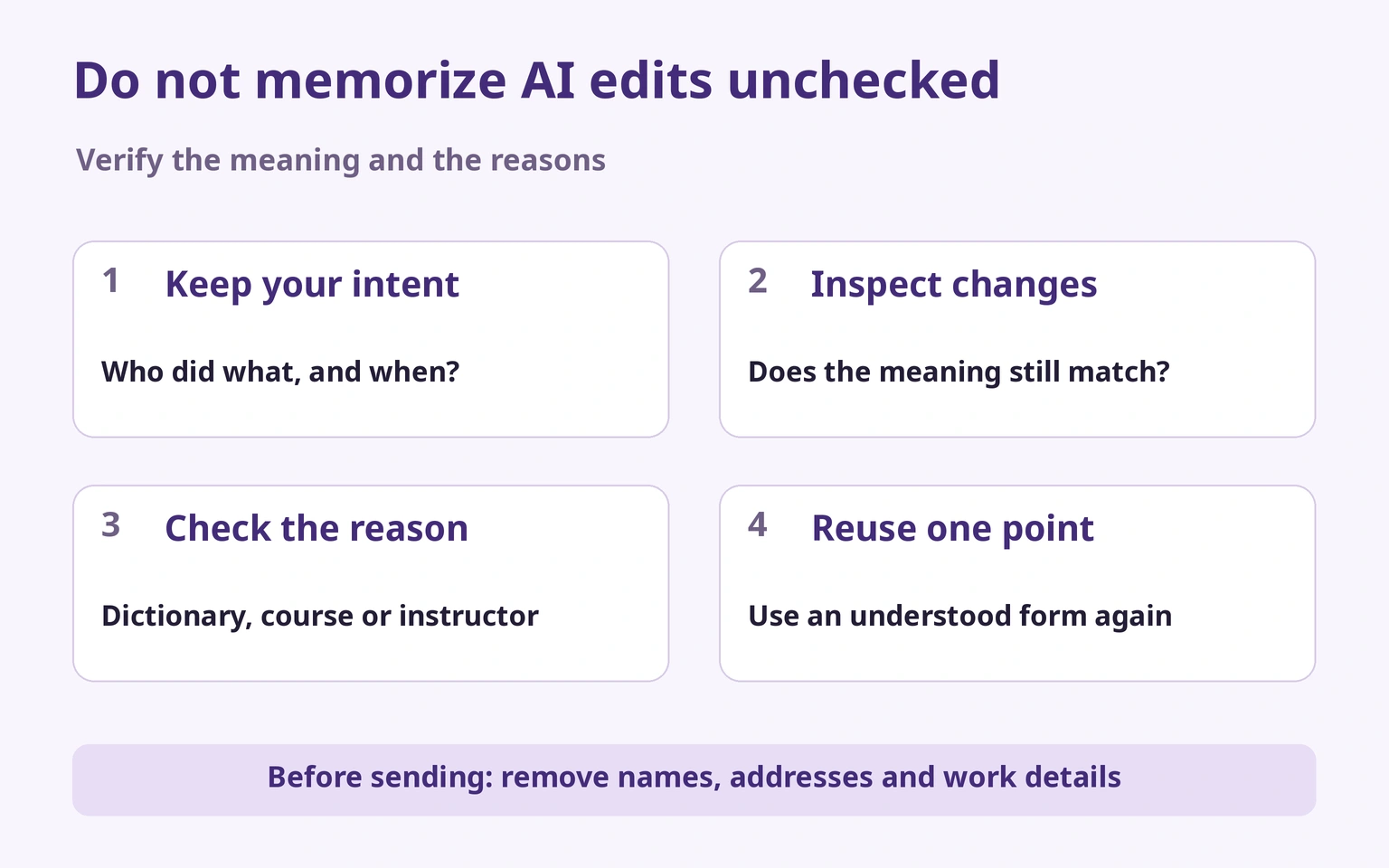
Our original worked sentence is I watered my plants before breakfast. It describes a completed action before the morning meal; it is not an actual third-party correction result. An edit to “after dinner” could be grammatical but change the event. A longer rewrite is not automatically better. British Council’s past-simple reference supports checking the completed-action tense. Keep your own facts, rather than memorizing an example as your experience.
Before sending anything, remove names, addresses, contact details, employer/customer information and sensitive health or family details. Initials alone may not prevent identification from dates and locations. Read retention, AI processing/training settings, public visibility and deletion terms. Anonymous registration or encryption does not by itself mean nothing leaves your device. Apply the same care to human correction and community posts.
Turn one diary sentence into speaking practice
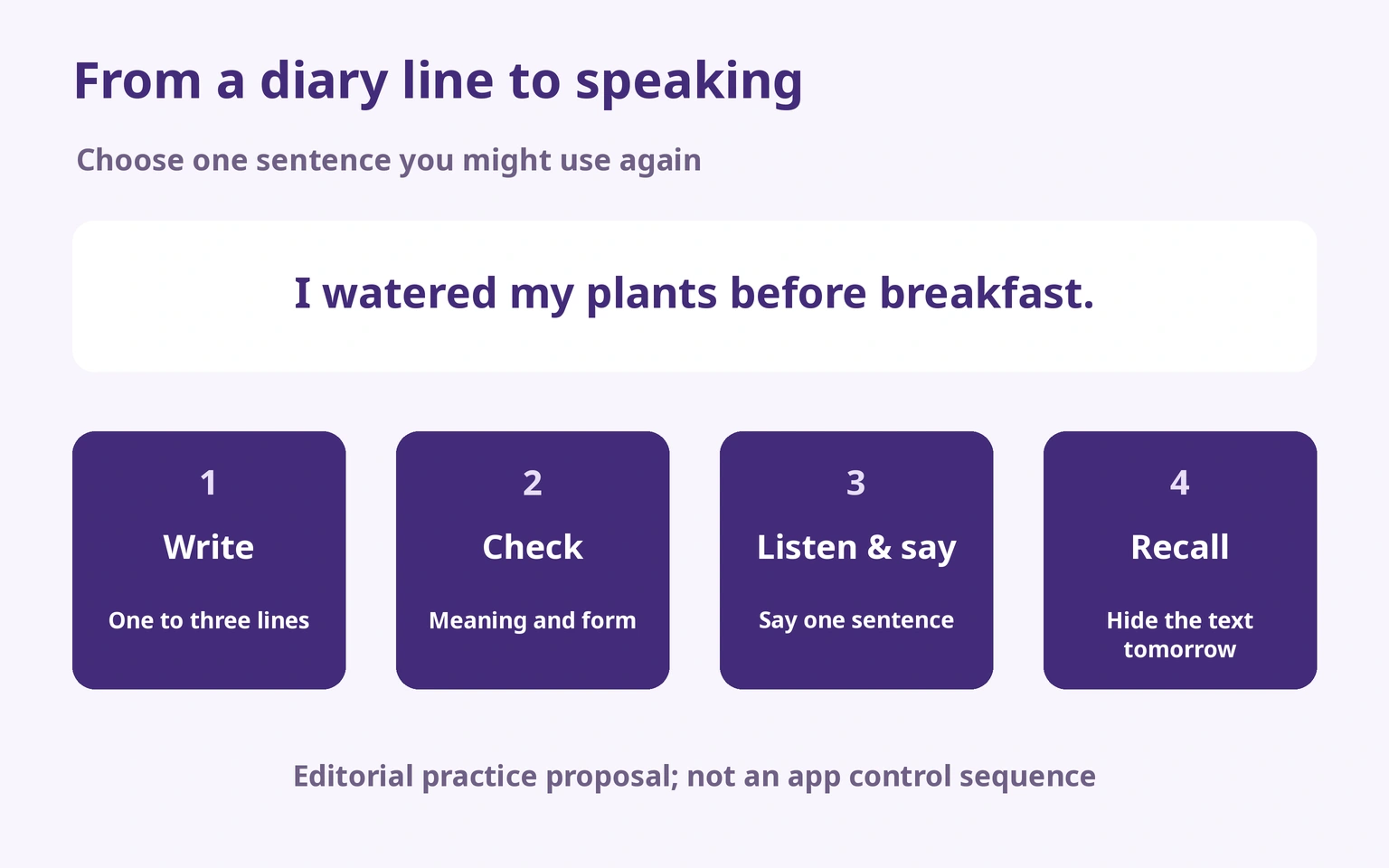
Our editorial combination: one place to write, one checking source when needed, then one sentence to say. Write a short entry, verify meaning and form, listen if a suitable model is available, and say the sentence aloud. For this example you can divide practice into “I watered my plants / before breakfast.” Next day, hide the text and recall the situation; if you get stuck, check and try again. This is an editorial exercise, not a claim about any app’s exact study controls or proven fluency gains.
See the instant composition method for meaning-to-English practice and how to remember English sentences for revisiting a sentence. A diary does not train responding to someone else’s reply; make room for real exchanges too.
Verified on the device: listen first, then reveal
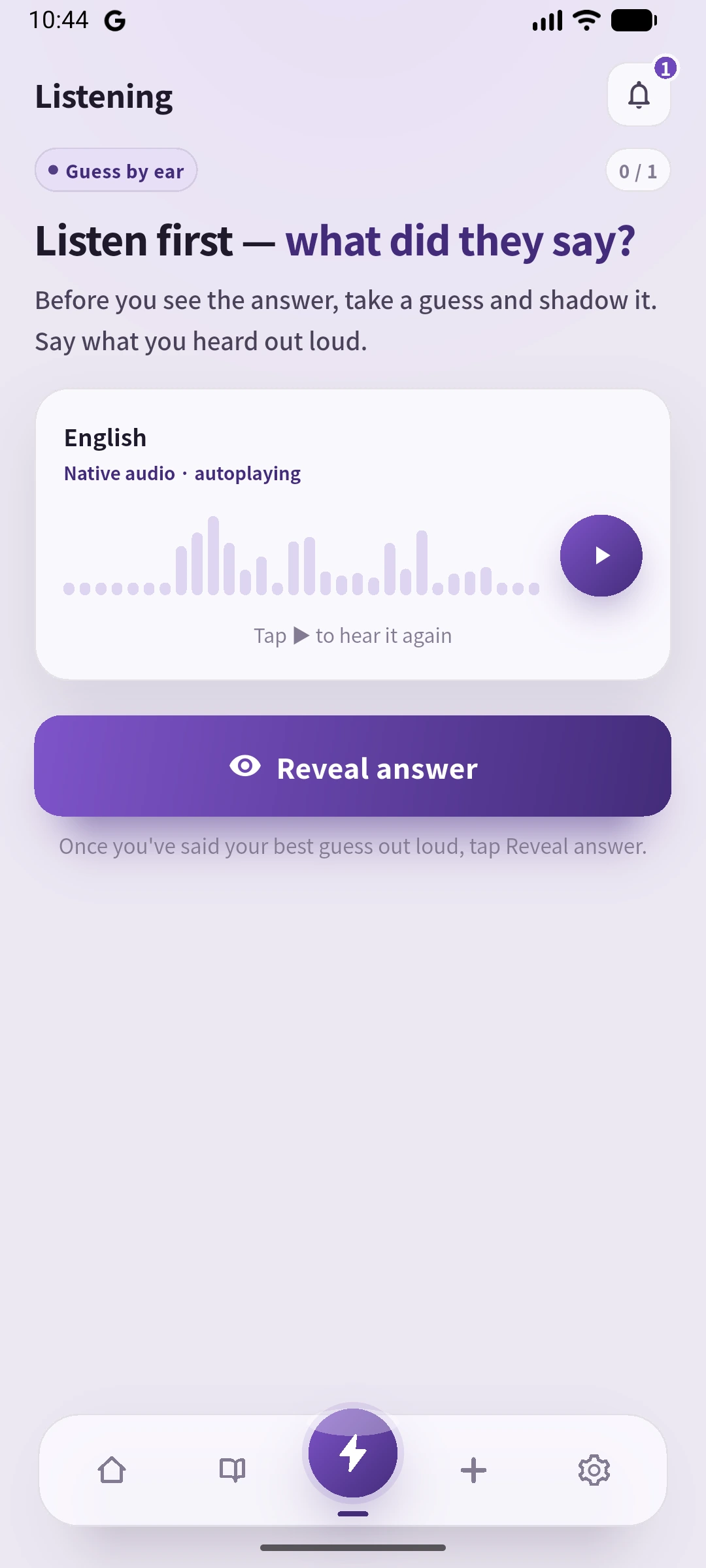
We created this sentence once through Add, then opened Knowledge in Library and Learn this card. Listening hid the English and prompted listening, guessing and saying it aloud. Reveal answer showed the exact sentence we entered. This is an audio-first flow. Recalling English from a separate meaning cue is our additional exercise, not an in-app quiz we observed. We did not use recording or assessment, and this did not validate the writing.
A small plan, and habits we do not recommend
Start with three sessions in a week, one to three sentences each. Session one: one completed action; session two: a new action using the same form and recall the old sentence; session three: add a feeling if useful and keep only one speaking sentence. This is a manageable editorial starting plan, not a research-established optimal dose.
We do not recommend memorizing AI rewrites without checking: meaning and style may shift. We do not recommend making a long daily entry compulsory at the start: writing can consume the time needed to inspect and reuse it. Nor would we send the same full diary to many free services, multiplying copies and conflicting suggestions. A reminder is a feature, not proof you will form a habit.
Frequently asked questions
Can I trust AI diary correction?
Use it for suggestions, not certainty. Check meaning, reasons and uncertain language independently; no flagged error is not a guarantee.
AI or human feedback?
AI suits quick suggestions you can inspect. An explanation-bearing human service suits questions about intention; free community exchange has different response conditions.
Can I keep this free?
Consider Day One Basic for text, LangJournal standard corrections, Write & Improve Free tasks or LangCorrect core exchange. Distinguish those from introductory points or a timed trial.
What should a beginner write?
One ordinary action, then an optional feeling. Use a topic prompt if ideas are the obstacle and a short sentence pattern if structure is the obstacle.
Should I include private details?
We recommend leaving them out. Check processing, visibility and deletion before sharing, including when copying from a private diary.
Must I memorize every entry?
No. Choose one checked, reusable sentence; say it and recall it later without text.
Does SpeakGain correct writing?
It is not recommended here for writing correction or scoring. Check the English separately before using a sentence for speaking practice.
Our editorial verdict
Choose LangJournal for diary AI suggestions, Grammarly for draft review, Write & Improve for tasks, IDIY for instructor explanations suited to Japanese readers, LangCorrect for reciprocal correction, or HelloTalk for exchange. Day One can hold the diary; SpeakGain is an optional later speaking tool. We would start with write one sentence, verify one point, say it once, rather than subscribe to several tools immediately.
Place diary writing alongside other practice with our English study guide.
If sentence structure itself is the obstacle, compare English grammar apps for explanations, exercises and oral practice.