
How to Learn English with YouTube: A 5-Step Method That Goes Beyond Watching
Published
To learn English with YouTube, choose one video you can follow now instead of collecting more channel recommendations. Pick a topic you care about, confirm that you can grasp the main idea in the first minute or two, check for English captions or a transcript, and keep the segment short enough to review today.
Watch once for meaning without pausing. On the second pass, check only a key point you misunderstood and one to three short phrases you might actually use. Verify their meaning and sound, say them aloud, then recall them later without looking at the translation.
Choose a video with four checks
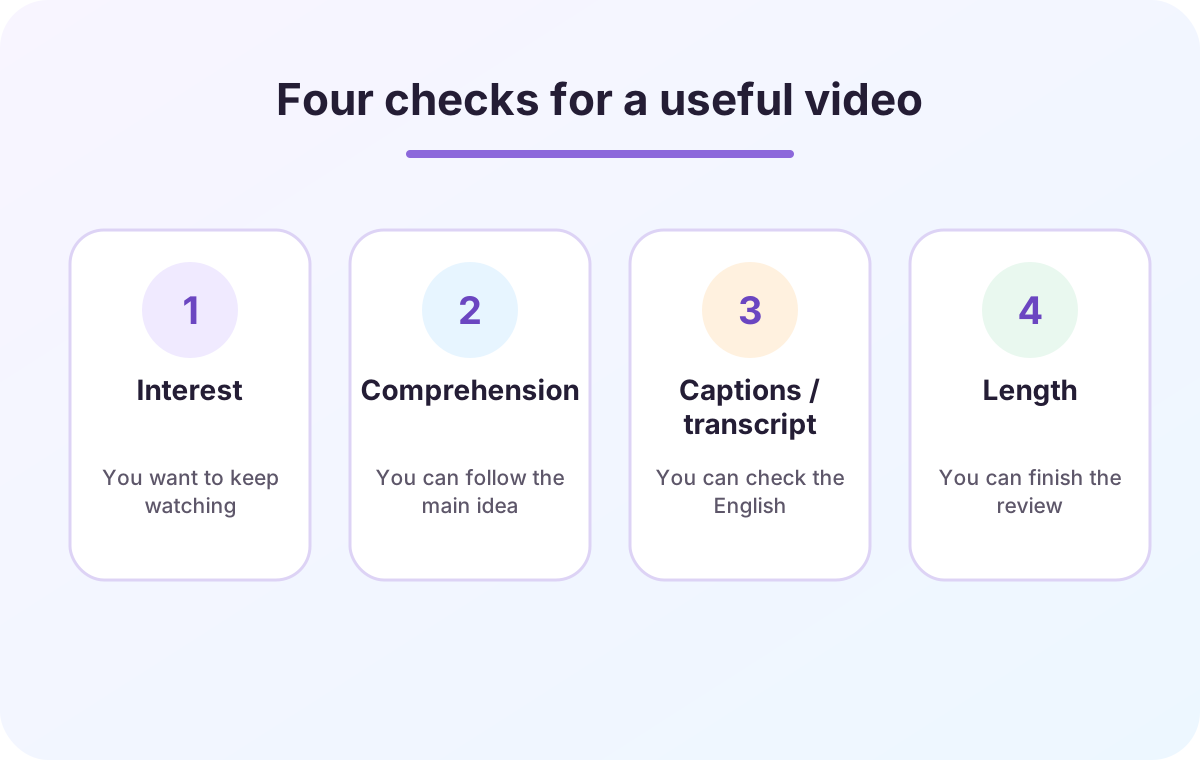
A useful video does not have to be an English lesson. A cooking explanation, game commentary, work talk, or science video can work when it meets four conditions:
- Interest: you would watch it even without a study goal.
- Comprehension: visuals and words you know let you follow the main idea.
- Captions or transcript: you can check the English after listening.
- Length: you can finish both watching and review in the time available.
Five to ten minutes is a practical starting point, not a research-backed optimum. For a longer video, use one chapter or scene as today’s unit.
1. Watch once for the main idea
Do not turn the first pass into dictation. Try to state who is explaining what and what conclusion they reach. Keep going when an unknown word does not block that answer.
If almost nothing is clear, choose a slower video on the same topic, use a topic you already know, check a first-language subtitle once, or work with one understandable segment. Enduring a video far above your current level is not a required step.
2. Check only the moments that matter
On the second pass, pause for two reasons: the moment changes your understanding of the argument or instructions, or it contains a short phrase you could use elsewhere.
YouTube’s official help says a full transcript is available for videos that have captions. It follows the current caption, and selecting a transcript line jumps to that point. Look for “Show transcript” in the video description; availability varies by video and device.
A meta-analysis of 18 studies by Montero Perez and colleagues (2013) reported benefits of second-language captioned video for listening comprehension and vocabulary learning. Kurokawa and colleagues (2025), synthesizing 49 experiments, reported a moderate effect for incidental vocabulary learning from captioned viewing. These studies were not tests of this YouTube routine, so they do not show that watching with captions guarantees learning.
Treat automatic captions as a clue, not a transcript of record
YouTube explains that automatic captions use speech recognition and may misrepresent speech because of pronunciation, accents, dialects, background noise, or overlapping speakers. They may also be unavailable.
Before saving a name, technical term, unfamiliar word, or caption that makes no sense, check the surrounding context, creator-provided captions, and a reliable dictionary. Use first-language subtitles for meaning, then return to English captions or the English transcript when checking the wording.
If checking takes too long, use a tool to find the right line faster
You can follow this method with YouTube alone. If you spend more time scrubbing backward or switching between the video and transcript than listening, a companion tool can shorten the checking step. The goal is not to use every feature. It is to find the sentence you missed, confirm its meaning, and decide whether it is worth saving.
YouTube
Show captions or the transcript, then select a line to jump to that point.
Best when
You only need to check one or two moments
Language Reactor
Use a transcript list, subtitle-by-subtitle playback, and a word dictionary. Some extension features require a paid plan.
Best when
You want to replay the video one subtitle at a time
SpeakGain
Enter a short sentence you chose, then connect it to audio, speaking, optional pronunciation assessment, and later review.
Best when
You want to practise the phrase again on another day
Check the transcript one sentence at a time with Language Reactor
Language Reactor offers a web player that places the video beside a list of its subtitles. Its Chrome extension also adds features such as dual subtitles, a pop-up dictionary, and subtitle-based playback controls on YouTube and Netflix.
We opened NASA’s official video “Where Does Space Begin? We Asked a NASA Expert” in the web player. The transcript appeared sentence by sentence beside the video, and the play button on each row returned to that exact line.
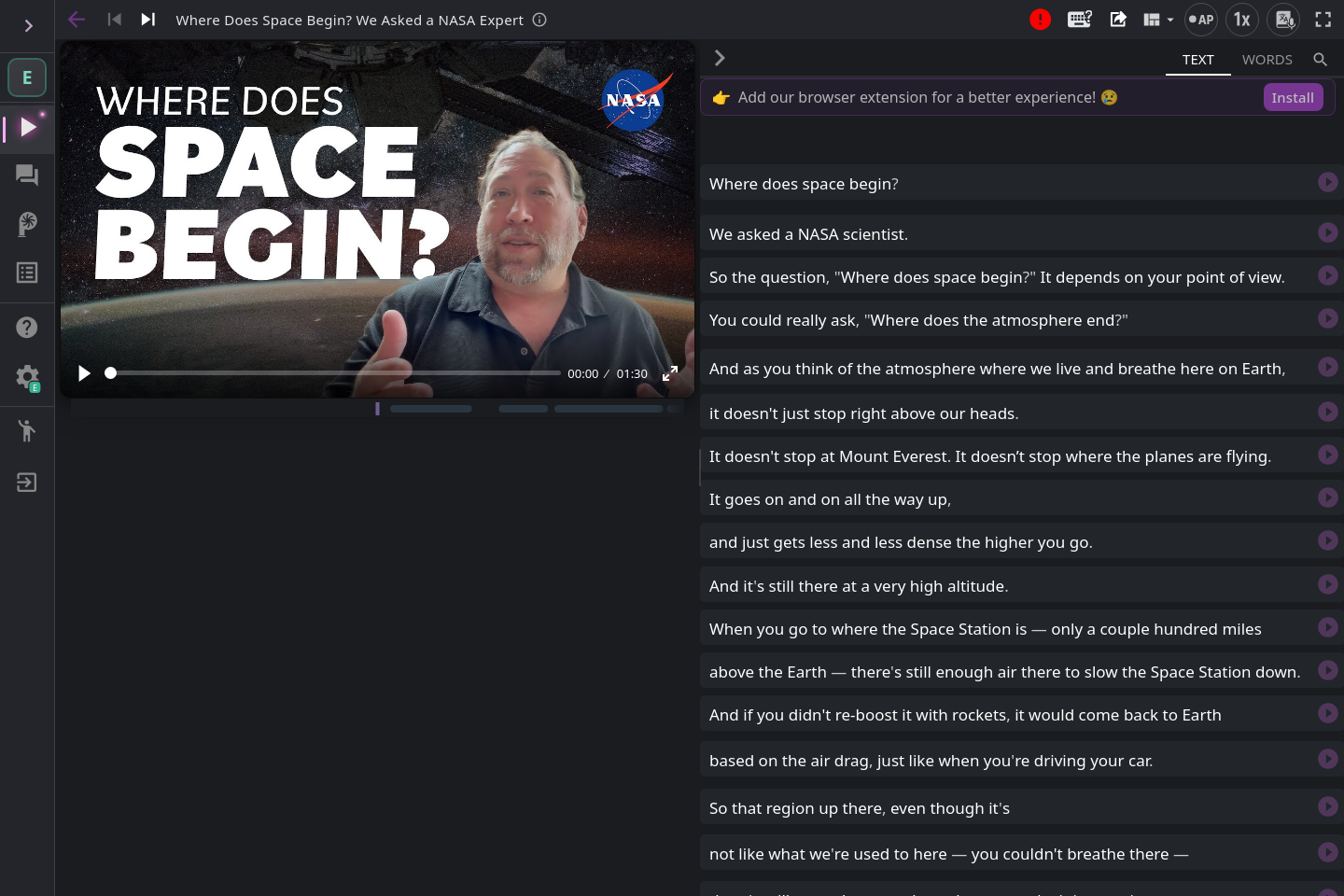
If you miss “It depends on your point of view.”, replay just that subtitle. Selecting depends also opens dictionary suggestions and examples. Rather than looking up every word in order, check only a word that blocks the meaning or belongs to a sentence you want to use.
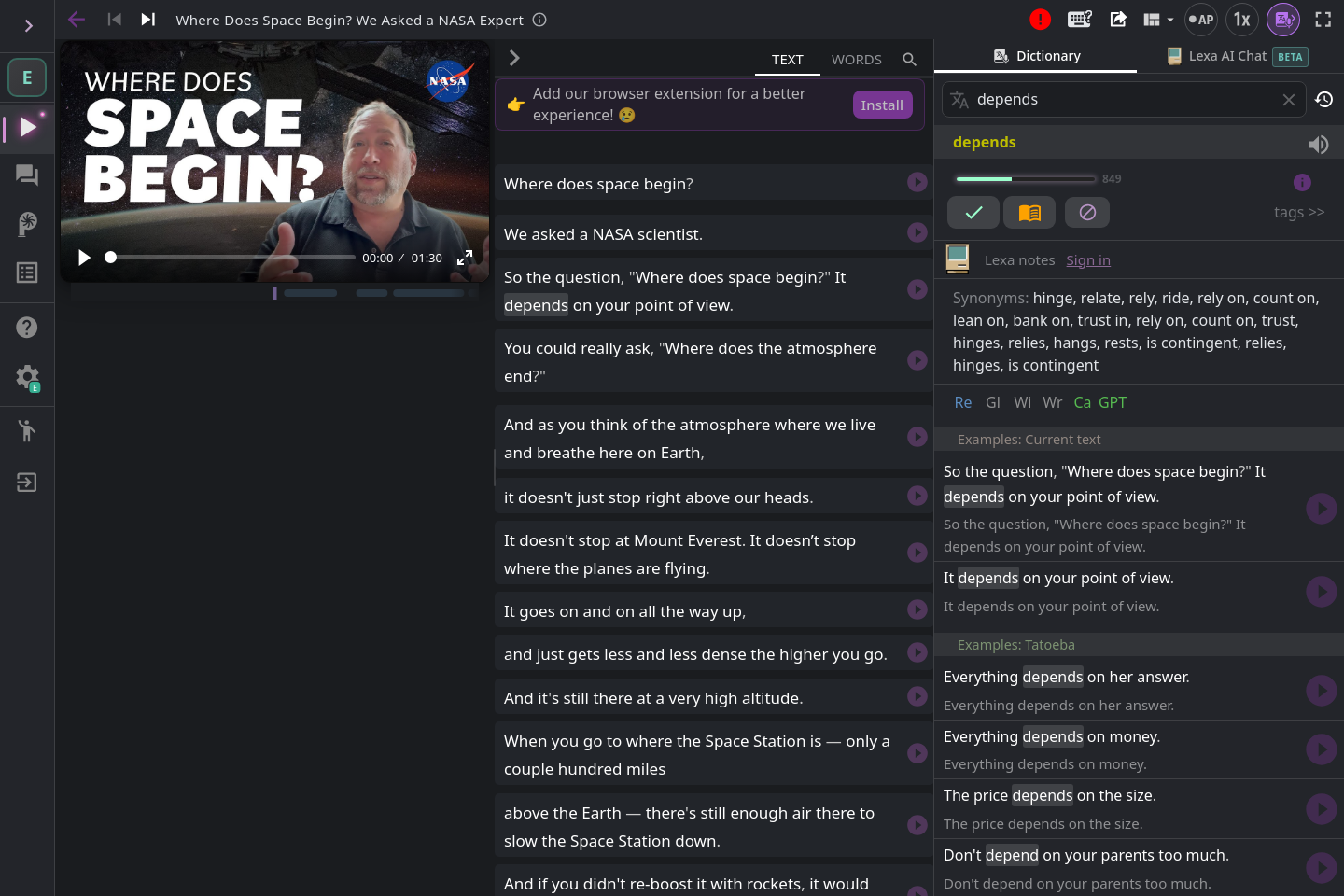
depends in the subtitle. Check for yourself that a suggested meaning fits the sentence.Four actions are enough for a first try:
- Listen to one sentence without looking at the subtitle.
- If you miss it, show the English subtitle and replay the same sentence.
- Check only the words needed to understand it.
- Save only a sentence you would use yourself.
Language Reactor’s help notes that machine translation can make sentence structure easy to compare, but can also be wrong. Machine translation and saving new words or phrases are mainly Pro features. The Chrome Web Store lists the extension for Google Chrome on Windows or macOS desktop and laptop computers. On a phone, or when you only need to check a moment or two, YouTube’s built-in captions and transcript are a simpler place to start.
Language Reactor and NASA are not affiliated with SpeakGain. They are included here as tools and material we used to verify this example.
3. Save only a few reusable phrases
Start with one to three phrases per video. That count is an editorial starting point designed to make review finishable, not an experimentally proven optimum. Prefer phrases that are short, complete, reusable, and whose level of formality you understand.
Imagine an original explanation video where a listener responds, “That makes sense.” Save the context too: it is a brief response showing that an explanation is logical or understandable. Do not republish long speech, thumbnails, or frames from an actual video.
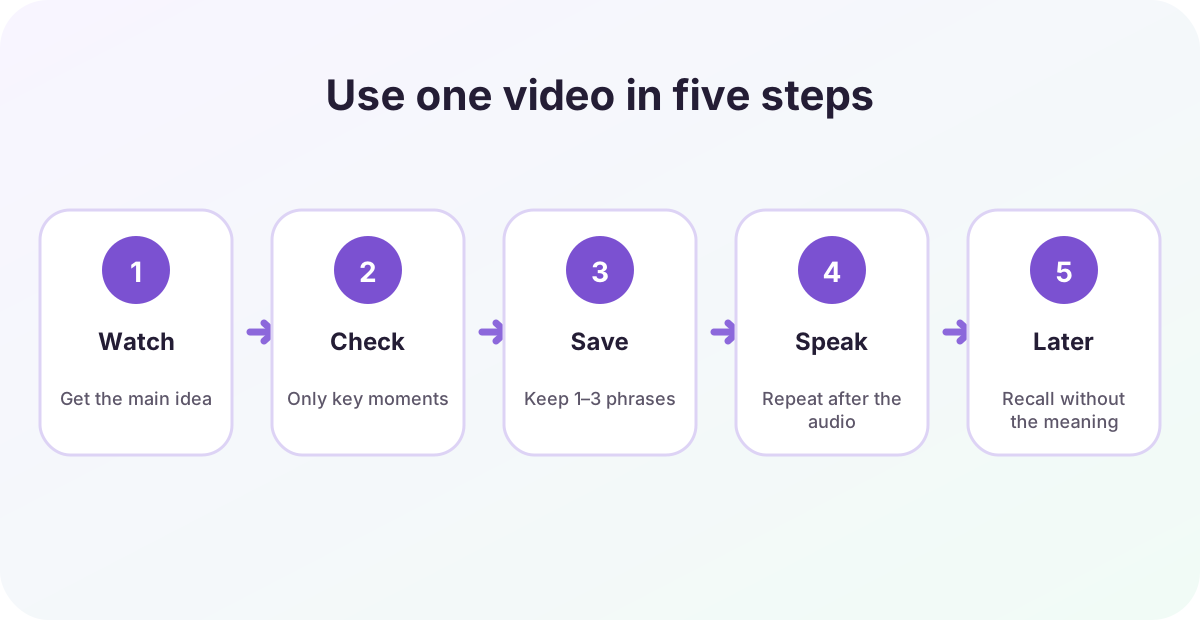
4. Check meaning and sound, then speak
Explain the phrase in your own words, replay the source audio, and compare what you hear with the English caption. Notice connected words and stressed sounds. Read the phrase slowly once, then try it once after the audio.
Speaking here is a practical check that you can produce a phrase you understand. The caption studies above did not directly test this step, so it should not be presented as proof that speaking guarantees retention.
5. Recall it after a delay
On a later day, hide the meaning and try to recall the situation, the English phrase, and any usage note. In a foreign-language vocabulary experiment, Karpicke and Roediger (2008) found stronger delayed performance when learned items continued to be retrieved. Karpicke and Bauernschmidt (2011) also found that spacing retrieval during learning helped retention one week later.
Those experiments did not use YouTube phrases. “Tomorrow and a few days later” is simply a workable schedule to begin with. Lengthen the interval when recall is easy and check again sooner when it is not.
Put a short phrase into SpeakGain
The method above works with YouTube, notes, and a dictionary. If you want the phrase’s audio, explanation, speaking check, and later review in one place, you can also use SpeakGain, the app we build.
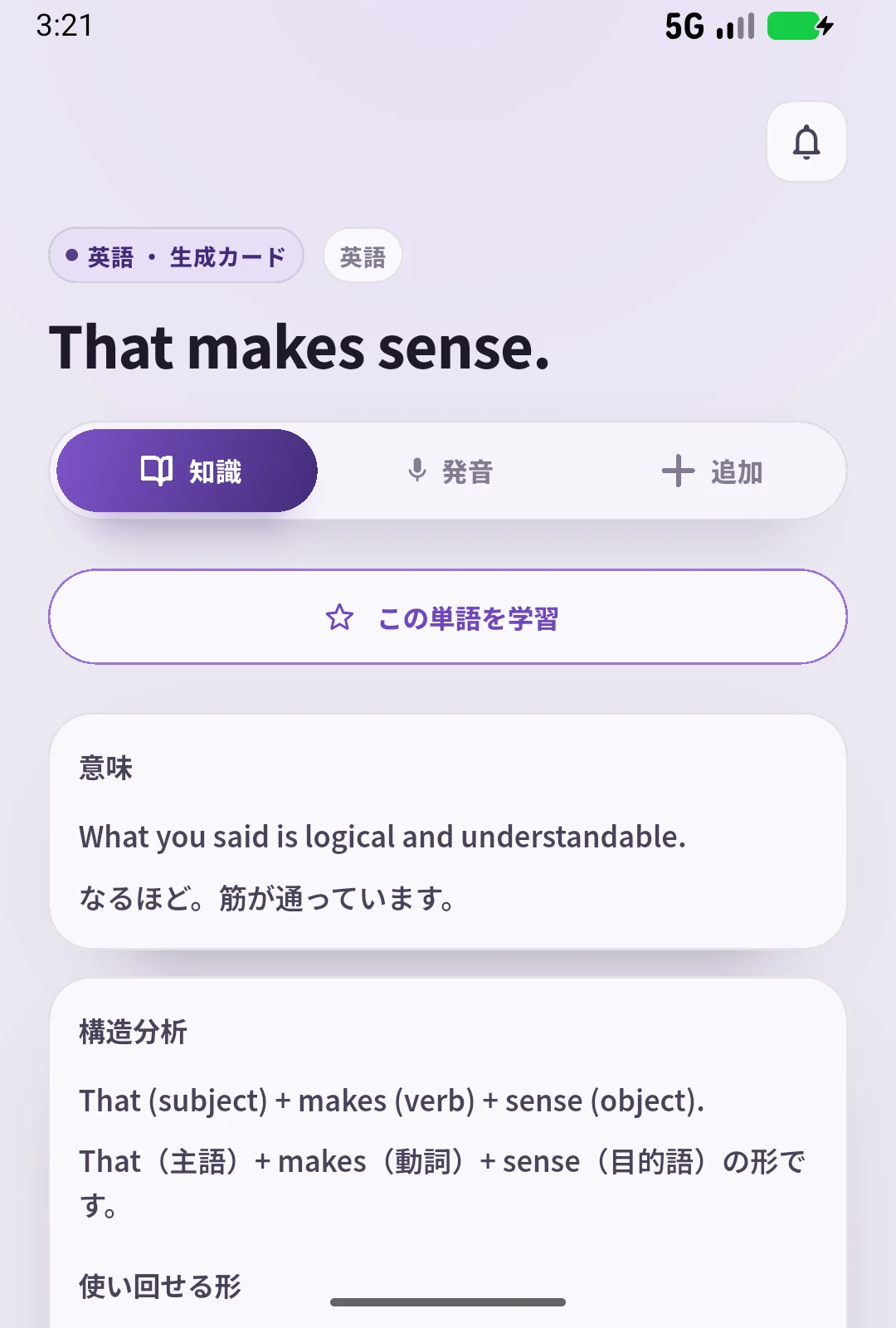
SpeakGain creates a card from English you enter, with generated audio and AI explanations of meaning, structure, paraphrases, and related patterns. You can listen and say the sentence aloud. Recording is optional; when used, online pronunciation assessment shows word-level results. Practice history and ratings help determine later review items.
SpeakGain does not import YouTube captions automatically. Check uncertain automatic captions before entering a phrase.
Evidence and practical choices are different
What the sources measured or documented: transcript navigation and the limitations of automatic captions; learning outcomes from captioned second-language video; and delayed retention from retrieval and spacing in foreign-language vocabulary tasks.
What this article proposes: four video-selection checks, a five-to-ten-minute starting segment, one to three phrases, one speaking attempt, and recall tomorrow or a few days later. These choices make the workflow manageable; they are not universal optimums.
Summary
- Choose a video you can follow, with captions or a transcript and a manageable length.
- Watch once for meaning; check only key moments on the second pass.
- Verify automatic captions before saving uncertain wording.
- Keep a few reusable phrases, check meaning and sound, and say them aloud.
- Later, hide the meaning and recall the situation and English phrase.
References and official guidance
- YouTube Help. View video transcripts.
- YouTube Help. Use automatic captioning.
- Language Reactor. Get Started.
- Language Reactor. Frequently Asked Questions.
- Chrome Web Store. Language Reactor.
- NASA. Images and Media Usage Guidelines.
- Montero Perez, M., Van Den Noortgate, W., & Desmet, P. (2013). Captioned video for L2 listening and vocabulary learning: A meta-analysis. System, 41(3), 720–739.
- Kurokawa, S. et al. (2025). Incidental vocabulary learning through captioned viewing. Language Learning.
- Karpicke, J. D., & Roediger, H. L. III. (2008). The critical importance of retrieval for learning. Science, 319(5865), 966–968.
- Karpicke, J. D., & Bauernschmidt, A. (2011). Spaced retrieval: Absolute spacing enhances learning regardless of relative spacing. Journal of Experimental Psychology: Learning, Memory, and Cognition, 37(5), 1250–1257.