
Quizlet Alternatives: Pick by Free Limits, Import, or Speaking
Published Updated
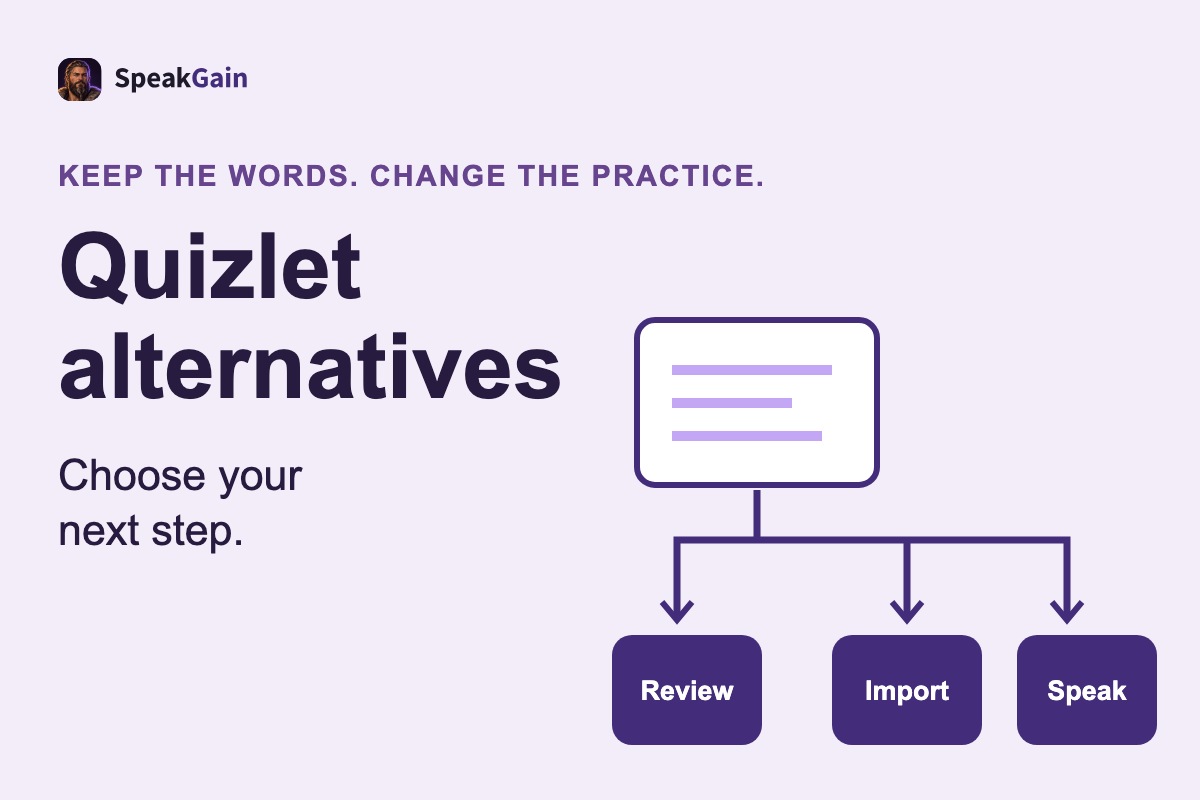
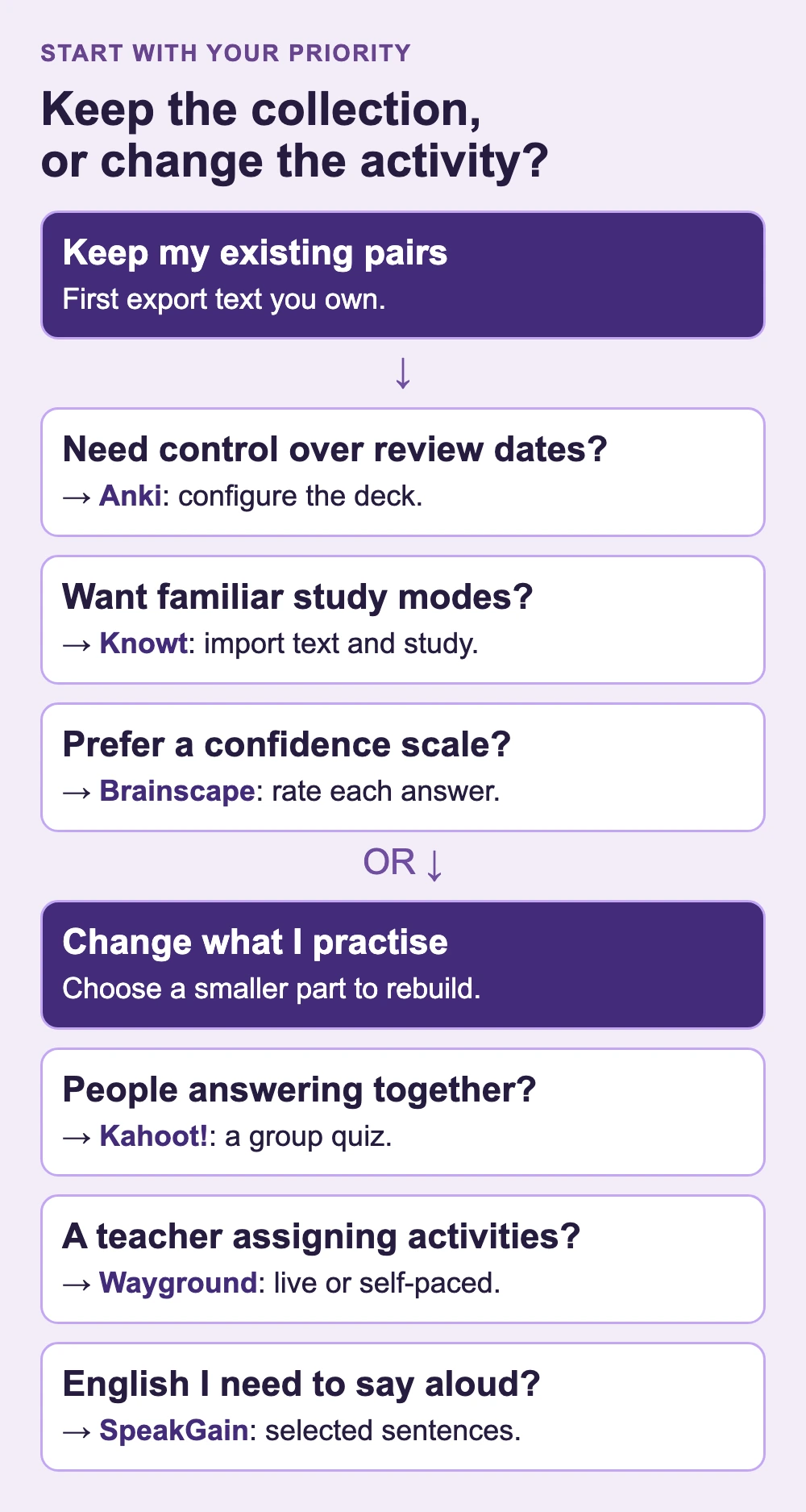
The best Quizlet alternative depends on the problem you want to leave behind: Anki for free spaced repetition on desktop and Android, Knowt for documented Quizlet import and free Learn-style study, or Brainscape for confidence-based review. For a group quiz, choose Kahoot! or Wayground (formerly Quizizz); for personal English sentences you need to say, consider SpeakGain, which we develop. Before switching, export the text of sets you created and choose one destination using the limits below.
Quizlet alternatives by reason to switch
The product details and prices below were checked against official sources on October 29, 2026. Dollar amounts are US dollars; AnkiMobile and SpeakGain prices refer to the US App Store.
| Reason → app | Free / paid | Moving sets / practice / devices |
|---|---|---|
| Review over months → Anki | Desktop, AnkiDroid and AnkiWeb are free. AnkiMobile: $24.99 once. | Import your exported text on desktop. Audio needs media or TTS setup. Windows, macOS, Linux, web, Android, iOS. |
| Keep sets and Learn-style modes → Knowt | Own sets and study modes free; AI tools have limits. Ultra: $149.99/year or $24.99/month; removes ads. | Manual text import or Chrome extension. Voice tutor belongs to Ultra. Web, iOS, Android. |
| Rate your certainty → Brainscape | Basic: unlimited own text cards and study. Pro: $7.99/month on annual billing; adds sound/image authoring and privacy. | Paste exported text, rather than link accounts. Confidence-rated study on web and mobile; iOS and Android links on pricing page. |
| Host a quick group game → Kahoot! | Go: free, 10 players for study accounts. Bronze: $36/year, displayed as $3/month. | Rebuild as quiz questions; no Quizlet transfer promised here. Join games free on web or mobile. Group answers, rather than speech feedback. |
| Assign classroom activities → Wayground | Starter: free; generally 20 stored resources. Individual: $216/year, displayed as $18/month. | Rebuild an activity. Live or asynchronous sessions; Read Aloud accommodation. Browser-based creation and participation. |
| Practise your spoken English → SpeakGain | 50 combined actions free: adding, translation, scoring. Pro: $9.99/month or $79.99/year. | Add selected sentences individually. Generated audio and optional pronunciation feedback; scheduled review. iOS / Android. No set import, export, images or public sets. |
Kahoot! and Wayground solve a teacher’s group-practice problem; they are different destinations from a private vocabulary collection. For Wayground, the Starter help page explicitly flags regional differences, so check its local plan comparison before planning a full class.
What is still free on Quizlet, and what does Plus change?
A free account remains useful for making sets and reviewing cards. Quizlet’s study overview describes limited free Learn rounds per set, while its current Learn instructions call this a free study session without promising a fixed number. The Test instructions specify one free practice test per set. Do not confuse Test with the separate AI feature named Practice Tests.
The Quizlet upgrade page displays Plus at $35.99/year ($2.99/month displayed), with 20 Learn rounds and three Practice Tests per month. Plus Unlimited is $44.99/year ($3.75/month displayed), with unlimited Learn rounds and complete Practice Tests access; both remove ads. These annual offers answer a different question from whether the free account covers your study routine.
Before paying or leaving, check your class access: the Learn help page says invited class members can use Learn and Test free for sets added to that teacher’s class. Searching for “Quizlet Plus free” should not lead you to assume that every account gets the same premium allowance.
Export your own Quizlet set before moving
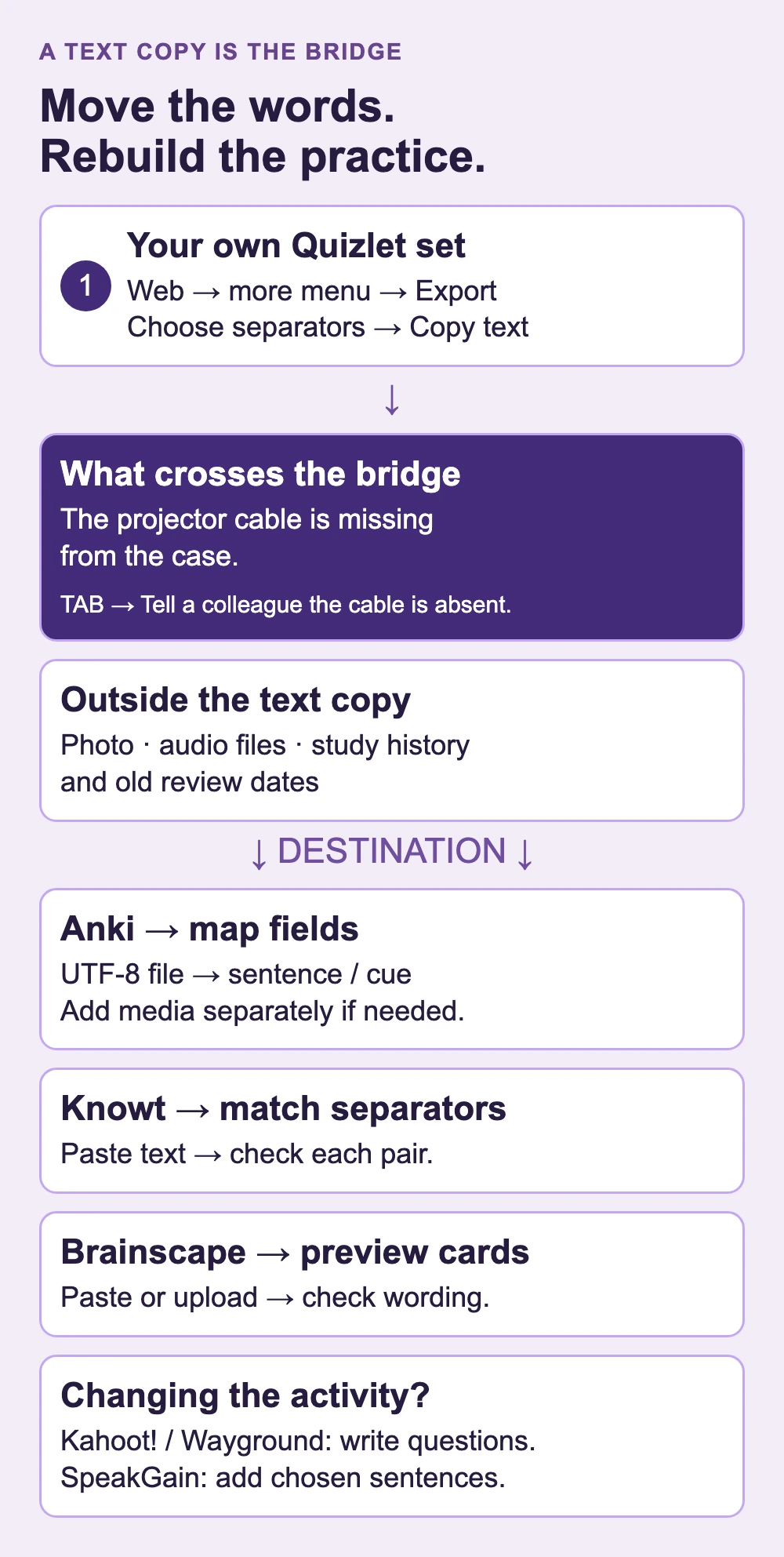
On the Quizlet website, sign in and open Your library → Flashcard sets → your set → more menu → Export. Choose separators, select Copy text, and save the result locally. Quizlet’s export instructions limit this to the creator’s own terms and definitions: images are excluded, and a set copied from somebody else cannot be exported.
Choose a tab between term and definition and a new line between cards if you plan to use Anki. Keep this untouched text copy before editing it for a destination. A text copy has no fields for Quizlet study history, due dates or audio files; treat those as absent from this migration, rather than expecting your learning state to follow you.
Example: a three-card equipment-room set
Imagine you wrote a small set for helping visiting colleagues set up a presentation. Each front is the English you need; each back is a short meaning cue:
- The projector cable is missing from the case. → Tell a colleague that the cable is absent.
- Does this adapter fit the wall socket? → Check whether the connector is compatible.
- We can borrow a spare from the training room. → Suggest another source for the equipment.
If the first card also has a cable photo and Quizlet audio, the export still carries only its sentence and meaning cue. The following destinations start from those two pieces of text, not the original multimedia card.
Which alternative fits the reason you are leaving?
Anki: keep your text and control long-term review
For the equipment-room set, save the copied rows as UTF-8 plain text. In desktop Anki, import the file, select the destination deck, map the sentence to the front and the cue to the back, and inspect the preview before confirming. The official text-import manual documents separators and field mapping; this route needs no Quizlet add-on.
All three sentence–cue pairs can survive. The cable photo and audio require separate media files and references; a Quizlet text export supplies neither. Anki then builds its own review schedule. Its official downloads page offers free desktop software and links to free AnkiDroid; the iOS companion is a one-time purchase. AnkiWeb provides free syncing and web review.
This is a good destination for a collection you expect to keep expanding. It is a less direct choice if you want every sentence spoken immediately: Anki’s TTS template instructions involve configuration and supported platform voices. Comparing Anki versus Quizlet in depth is a separate decision; here the practical difference is how much control you want after exporting.
Knowt: retain the set and use familiar study modes
Knowt’s import help describes a Chrome extension and manual import. For your own exported equipment-room rows, open + → Flashcards → Import manually, paste the text, and match the separators. Check that the three cards still pair the correct sentence with its cue.
Prefer that transparent text route over depending on an extension continuing to work: the same help page acknowledges Quizlet blocking the extension. Its suggestion to export a copied set conflicts with Quizlet’s creator-only export rule above; use your own material.
Knowt’s free-plan guide includes Learn, Practice Test, Spaced Repetition, Match and Flashcards on your own sets. Ultra buys an ad-free experience and additional AI tools, rather than being required for those modes. It fits someone leaving because of study-mode limits; someone leaving because of ads should compare Ultra’s cost too. The imported text does not restore your cable photo, old audio or Quizlet progress.
Brainscape: make your confidence the review input
When “I recognise that sentence” is too vague, Brainscape asks for a confidence rating from 1 to 5 after the answer appears, and uses it to choose subsequent repetitions. A high rating should reflect what you could recall before revealing the equipment-room cue.
The migration guide permits pasted text or file import. Preview the result carefully when using its AI Bulk Import so your three original pairs remain intact. Quizlet’s text export preserves the content, while confidence ratings begin in Brainscape. Basic covers your own text cards; Pro adds images, sounds and privacy controls. Choose another tool if free sound authoring is essential, or if you want a recorded answer assessed rather than a self-rating.
Kahoot!: turn the material into a group quiz
A game needs questions and plausible answers. For the cable card, a host could ask “Which sentence reports missing equipment?” and offer the original sentence alongside two unrelated statements. The wording remains useful, but you are authoring a different activity; copying the Quizlet text alone does not create that game or preserve individual progress.
Kahoot!’s free-use guidance includes basic quiz creation and free participation. Use it when several people will answer together; choose a review app for a private daily collection. The study-account pricing table separates free Go’s 10-player limit from paid larger sessions. Teacher and work accounts have their own limits, so the free study plan is not a promise for a large class.
Wayground: assign practice and examine class answers
Quizizz became Wayground; it is the same service under a new name. Unlike a live-only quiz night, its Starter plan supports both teacher-paced and asynchronous sessions, basic question types and reports.
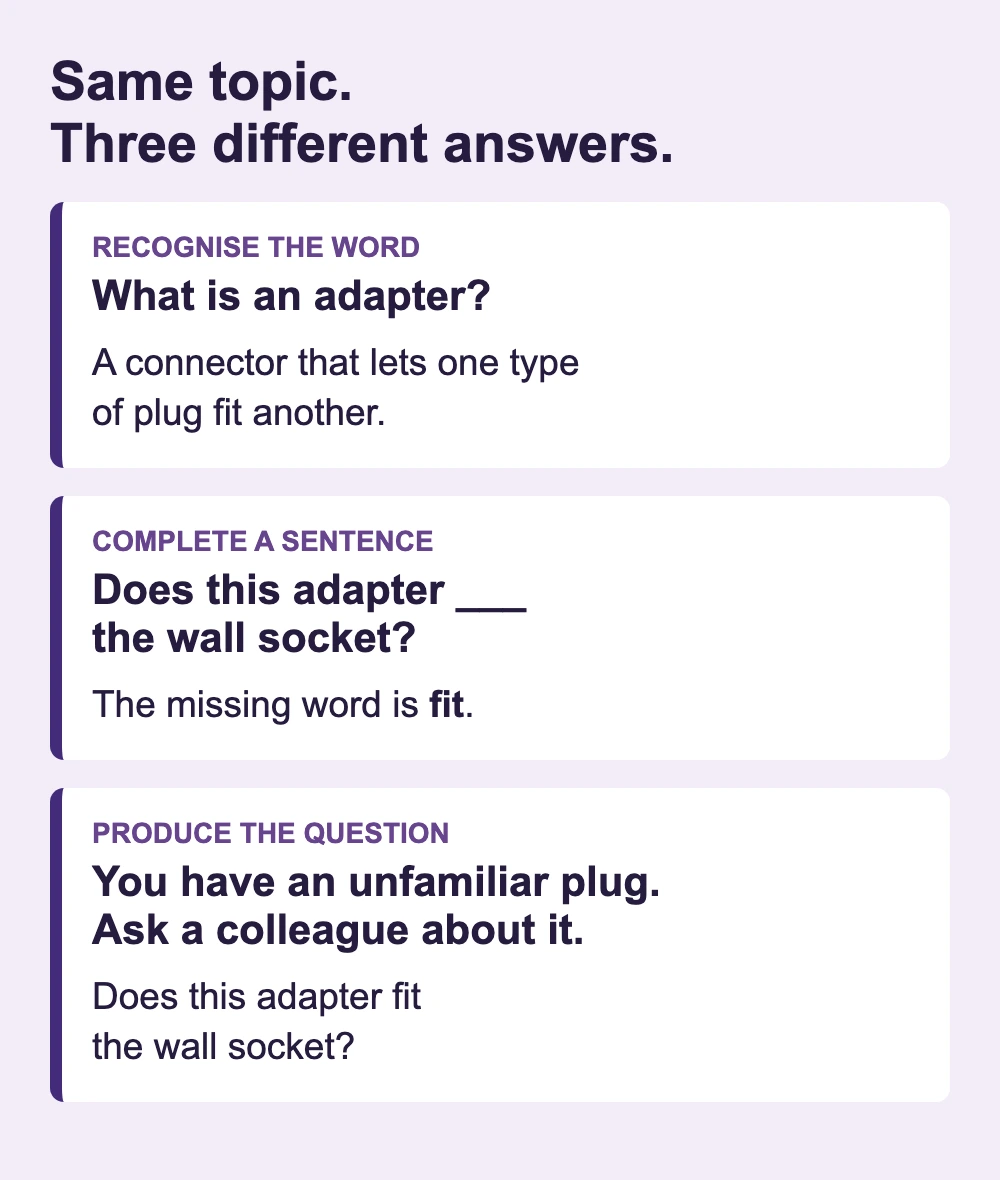
A teacher could turn the adapter card into “Does this adapter ___ the wall socket?” with fit as the answer. That checks a particular word; it does not show whether the learner can produce the entire question. Read Aloud is an accommodation for hearing content, rather than the same task as judging a spoken answer. Choose it for assigned activities and class visibility, not as a direct replacement for personal review history. The free plan’s storage limit and paid Individual plan matter to the person creating resources, rather than to a student simply joining an assignment.
SpeakGain: turn selected sentences into spoken material
The cable sentence is useful when someone is waiting for an explanation of the problem. In SpeakGain, its card connects the English sentence with a meaning and usage explanation, and the practice screen offers the sentence’s audio. You can work on the full report, rather than only remembering that cable names an object.
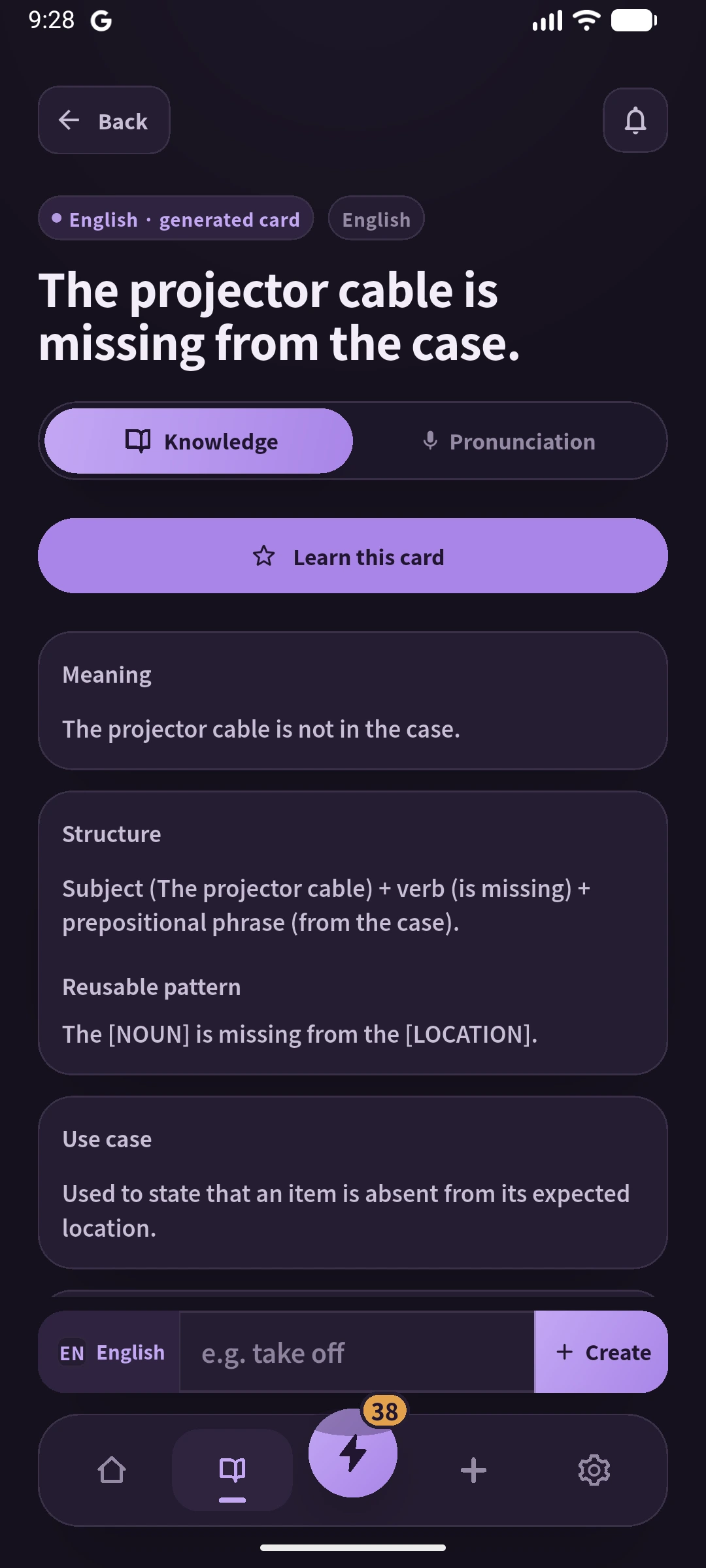
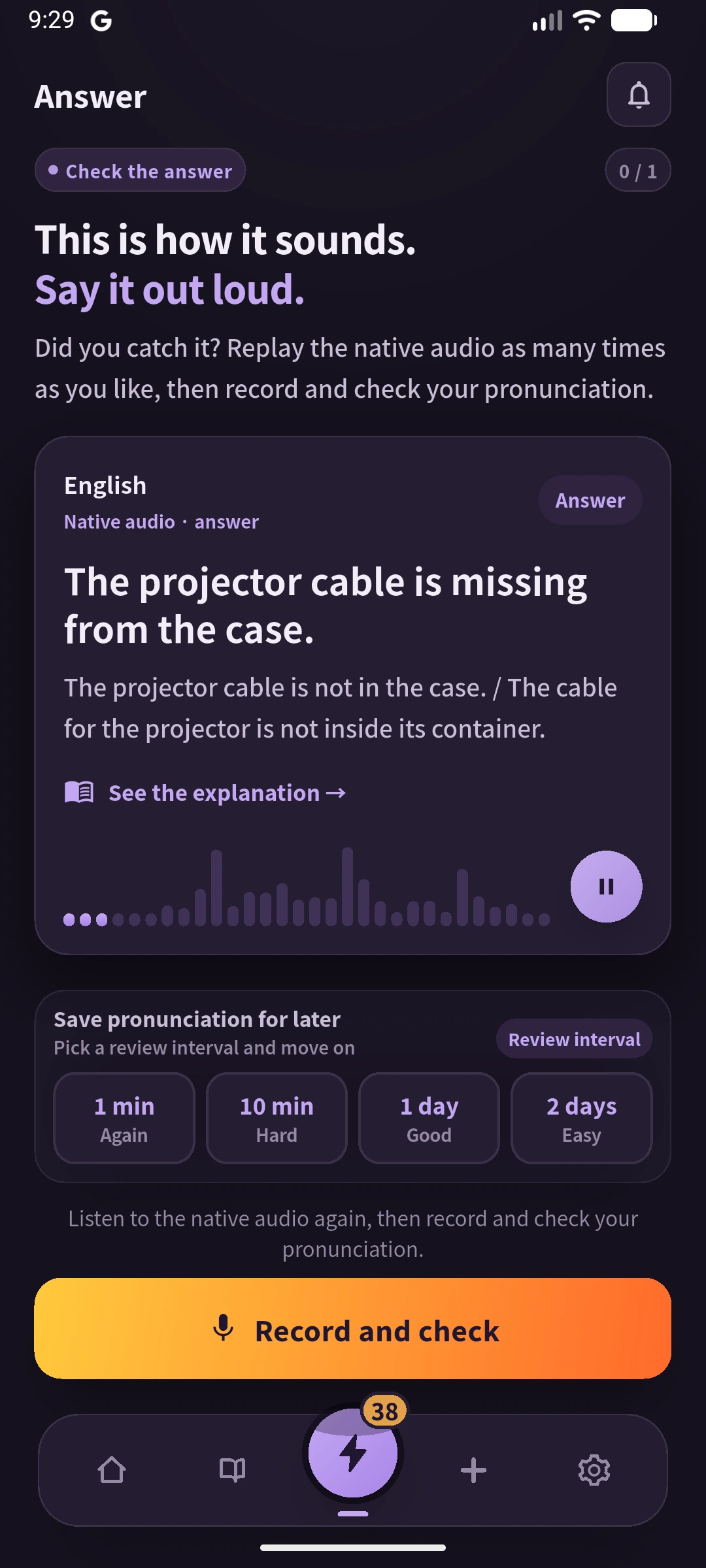
Equipment-room phrase: The projector cable is missing from the case.
For learners who want feedback, optional recording provides online pronunciation assessment; practice history also determines which cards are due for review, as described in the current store listing. The free allowance is 50 actions shared across adding, translation and pronunciation scoring, followed by a monthly or annual Pro plan.
SpeakGain fits selected English lines you intend to use aloud. It is a poor destination for moving a whole Quizlet library: there is no Quizlet import, collection export, image attachment or public-set browsing, and sentences are added individually. Keep your exported source file if portability matters.
English learners: check the sentence, the sound and the response
Use the equipment-room example to distinguish three outcomes. Recognising adapter tests vocabulary. Completing “Does this adapter ___ the wall socket?” tests a missing word. Explaining the problem to a colleague without seeing the sentence tests whether you can produce it.
Before choosing, check these specific points:
- Whole-sentence space: Can the card hold both the sentence and the situation that prompts it?
- Usable audio: Is the voice clear for your sentence, and can you replay the part you missed? TTS configuration, attached recordings and generated speech have different setup costs.
- Your own response: Does the app merely play audio, let you record, or return pronunciation feedback? A confidence rating and a multiple-choice score answer different questions from speech assessment.
- Review timing: Will the app bring the sentence back, or will you need to find the set yourself?
For a broader comparison of creating cards from scratch, see apps for making your own flashcards.
Anki alternatives when configuration is the obstacle
If Anki’s templates and import settings are the reason you are searching, start with Knowt for ready-to-use study modes or Brainscape for confidence-rated cards. If the obstacle is that text review never becomes English speaking practice, SpeakGain addresses that narrower task; for a teacher’s group activity, return to Kahoot! or Wayground. None requires you to recreate Anki’s entire setup to try that specific activity.
AlgoApp, formerly AnkiApp, is a separate product from Anki.
Choose the destination before rebuilding the collection
For an existing set you want to study privately, export the owned text and pick Anki, Knowt or Brainscape according to review control, study modes or confidence ratings. Rebuild a smaller activity in Kahoot! or Wayground when the audience is a group. For English speaking, select the sentences you actually need rather than treating every old term as something to practise aloud.
Keep the original set until the new cards have the right pairs and a usable practice mode. A successful text import proves content moved; it does not prove photos, audio or learning history moved with it.
Frequently asked questions
Is there a free version of Quizlet?
Yes. You can create sets and use flashcards without Plus. Quizlet’s help gives non-subscribers limited Learn access and one Test per set. Class-added sets may have additional access through a teacher.
Can I import Quizlet sets into Anki?
For your own sets, export the terms and definitions on the Quizlet website, save a UTF-8 text file, and use Anki’s text import to map the fields. This does not bring over the original media or Quizlet review history. No third-party extension is needed for that text route.
Is Quizlet Plus worth it?
It may be if keeping your existing routine matters more than changing apps and its allowance fits your actual use. Compare Plus and Plus Unlimited before subscribing: the lower-priced paid plan still has monthly limits. Export your own material even if you decide to stay.
What is the best Quizlet alternative for language learning?
Choose Anki for a large personal collection with configurable media and review, Knowt for imported sets with varied study modes, Brainscape for confidence ratings, or SpeakGain for a smaller set of personal English sentences with audio and optional pronunciation feedback. Pick the task you need to improve, rather than the longest feature list.
What does Reddit recommend?
In the GetStudying discussion surfaced for this query, suggestions include Knowt, Mochi and OmniSets, while preferences differ over spaced repetition; an archived discussion is a source of candidates, not evidence of today’s prices or a community-wide winner.
Sources and further reading
Quizlet’s subscription guide explains why Plus and Plus Unlimited must be treated as distinct plans. The export guide establishes the ownership and text-only boundary used throughout this article.
For the next step, Anki’s import manual, Knowt’s migration instructions and Brainscape’s migration guide document the three text-based destinations. Prices and plan boundaries are linked beside each app above.